★ How to post ★
Your pilot kit opens the moment you finish your chat with Milo, and it stays in Creator Studio after that. It has your link, your story images, and a button that copies the link and opens Instagram for you.
What counts
For the $50 gift card, the account you post from also has to be public, with 10,000 or more Instagram followers. The full rules.
In Instagram
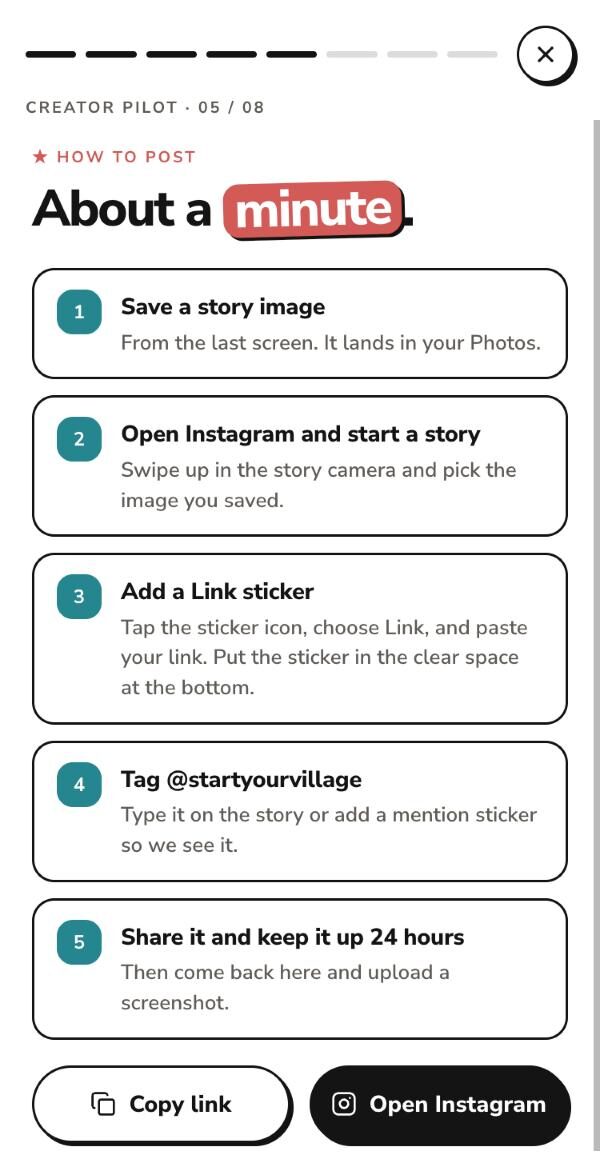
The same five your kit shows you, with the buttons to do them.
Pick one in your kit and tap Save image. It lands in your Photos. Each one carries your photo and handle, with a clear space at the bottom for the sticker.
Swipe up in the story camera and pick the image you saved.
Tap the sticker icon, choose Link, and paste your link. Put the sticker in the clear space at the bottom.
Type it on the story or add a mention sticker, so we see it.
Then come back to your kit and upload a screenshot.
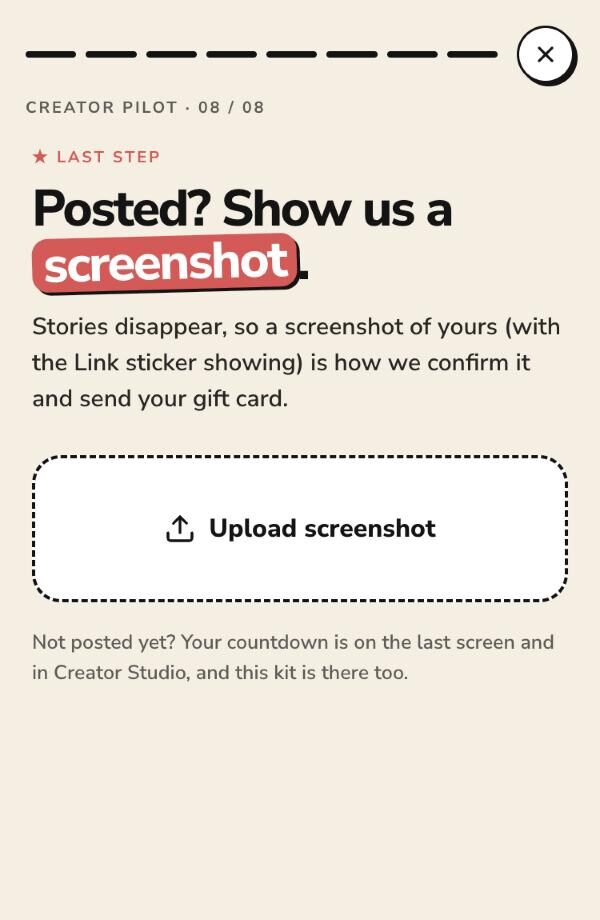
Last step
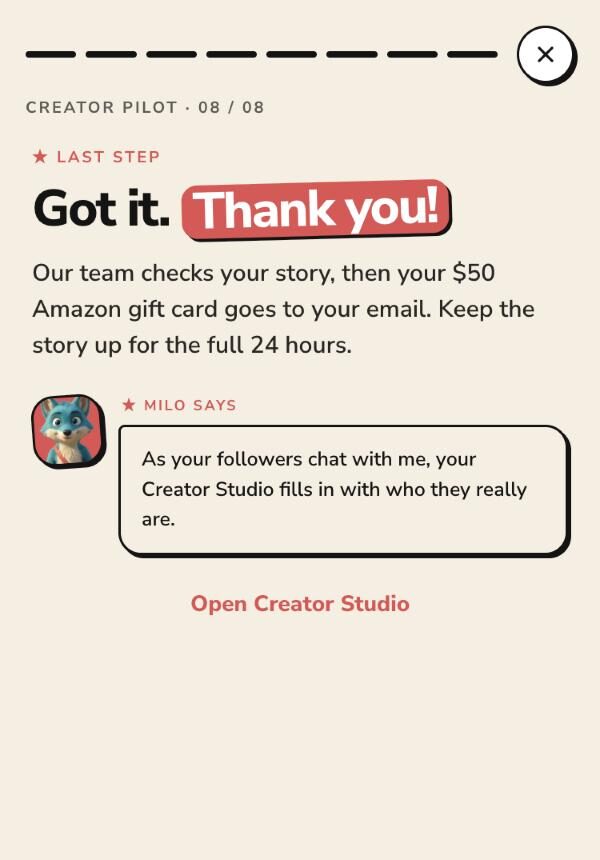
A screenshot is how we confirm your post. For a reel, show the reel with its caption and tag. For a story, show the Link sticker. Upload it on the last screen of your kit. Your reminder emails stop as soon as it arrives, and someone on the team checks your post before your gift card goes out.
A reel cannot hold a tappable link, so ManyChat sends it for you. Set up a ManyChat comment automation that DMs your link to anyone who comments a keyword. We suggest VILLAGE. Tell people in your caption to comment it, tag @startyourvillage, and keep the reel up for 24 hours. Then upload a screenshot in your kit. Your kit has a caption you can copy.
A few minutes to sign up and chat with Milo. One reel or story. No call before the link, and nothing to learn.
Join the pilot →Open to US residents 21 and over. One $50 Amazon gift card per creator with 10,000 or more Instagram followers, sent after we confirm your post. Amazon is not a sponsor of this promotion.